


Stash files at hand.
Drag them out anytime.
FileDrawer is a translucent drawer that slides out from the edge of your screen. Drop files, text, links, images — keep them one flick away while you work. Like Yoink or Dropover, but native, free, and open source.
Universal binary · Apple Silicon & Intel · macOS 14+ · 中文介绍 ↗
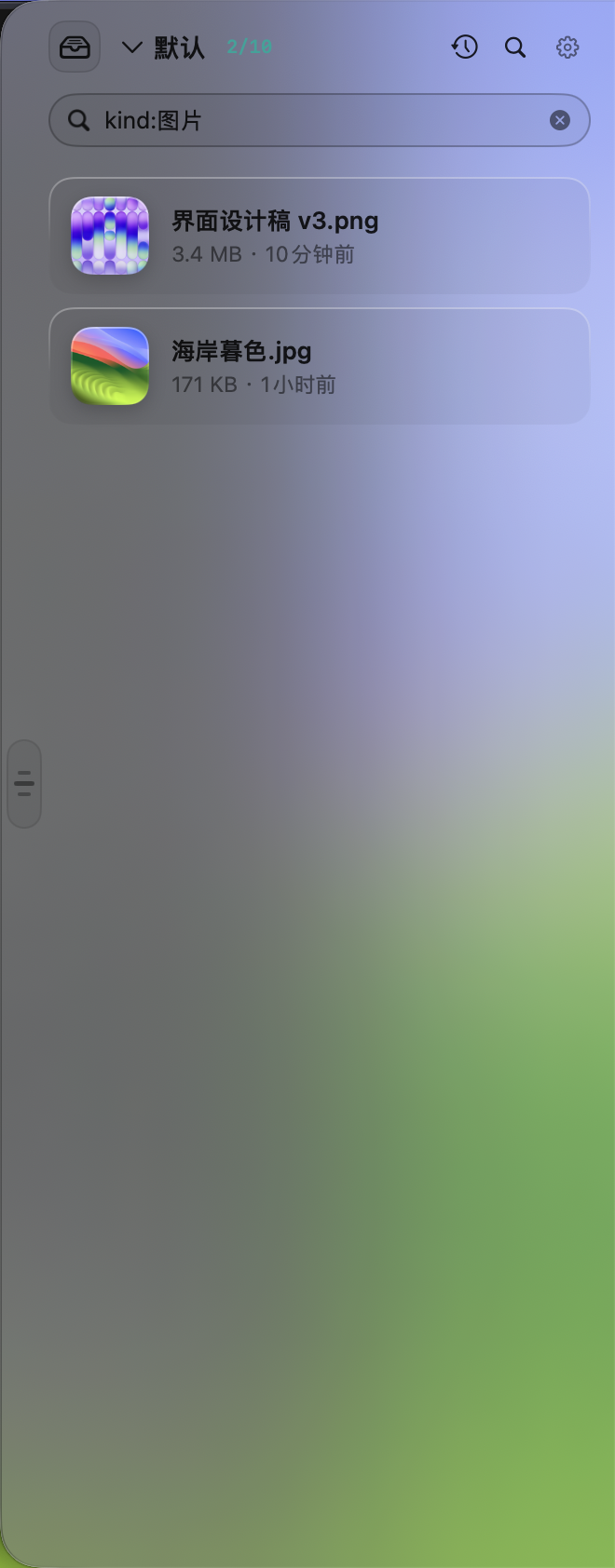 Search with
 kind:image syntax
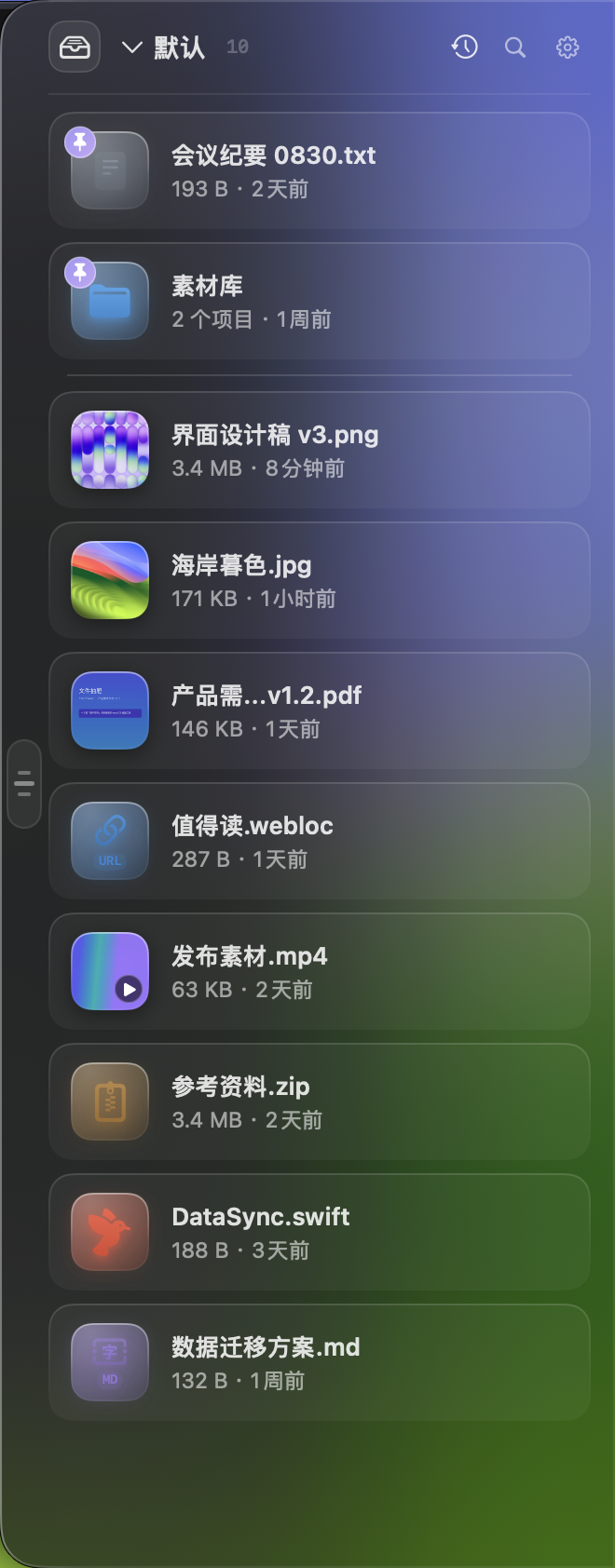 Groups · pins · Quick Look · undo
Three moves. That's the whole app.
FileDrawer stays out of your way — a floating glass panel on the edge, never stealing focus, present on every space.
Drag in
Drop files & folders from anywhere. Text selections become .txt, links become .webloc, web images land as the actual image — Photos & Mail attachments arrive intact.
Keep at hand
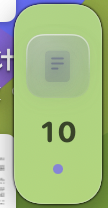
Groups, pins, search, Quick Look with Space. Collapse the drawer to a tiny edge chip — drop files on it and it blooms open to catch them.
Drag out
Pull items into Finder, Mail, chat — anything accepts the real file. Hold ⌘ to move instead of copy; drop on the Trash to delete. Multi-select drags them all at once.
Small tool, deep bench.
Every interaction you'd expect from a polished Mac utility — plus automation hooks the paid apps don't give you.
Automate everything
Every core operation is scriptable via the filedrawer:// URL scheme, Shortcuts actions and Siri phrases — all sharing one command layer, so behavior is always identical.
$ open "filedrawer://add?path=/tmp/report.pdf&group=Work"   # stash into "Work"
$ open "filedrawer://move?group=Downloads&to=Archive" # file things away
$ open "filedrawer://pin?group=Work&limit=3"        # pin the newest 3
$ open "filedrawer://toggle"                          # expand ↔ collapse
Clipboard history
Every copy from any app — text, links, images, files — lands in a searchable history panel (⌘⇧V). Send entries to the drawer, copy back, pin, or delete; excluded apps (password managers by default) are never recorded.
Drawer groups
Multiple named groups with count badges, per-group sort memory & capacity caps. ⌘1–⌘9 to jump, right-click to move items between groups.
Smart search
As-you-type filtering with type syntax — kind:image, kind:pdf — plus Spotlight content search when names don't match.
Quick Look
Press Space on any item: videos play, PDFs paginate, images zoom — native preview inside the drawer, arrow keys to flip through.
Pin & protect
Pin frequent items to the top with a brand-color badge — exempt from expiry cleanup and capacity eviction. Rearrange manually; the order persists.
Drag out with intent
Copy by default, ⌘-drop to move on Finder, drop on Trash to delete. A ×N badge previews multi-file drags before you let go.
Undoable removals
Removed the wrong thing? A toast offers "Put Back" to restore items at their original positions. Files materialized from text & images are reclaimed only after that window closes.
Global hotkey
⌥Space (re-recordable) expands or collapses the drawer from any app. Non-activating panel — your focus never moves.
Self-maintaining
Stale files dim with a hint and open is blocked; expiry (1/7/30 days) and capacity caps (20–100) evict oldest-first — pinned exempt, all configurable.
Everything the paid shelf apps do.
Free, and yours to keep.
Yoink and Dropover are great apps — FileDrawer matches the workflow and removes the price tag, the closed source, and the leash.
| FileDrawer | Yoink | Dropover | |
|---|---|---|---|
| Price | Free | Paid | Paid |
| Open source | MIT | ✕ | ✕ |
| Native Swift & AppKit | ✓ | ✓ | ✓ |
| Automation — URL scheme, Shortcuts & Siri | ✓ | — | — |
| Clipboard history built in | ✓ | — | — |
| Chinese & English UI | ✓ | — | — |
On your Mac in under a minute.
Download the DMG
Universal binary for Apple Silicon & Intel, with SHA-256 checksums. Mount, drag to Applications — done.
Get the latest releaseBuild from source
One command clones, builds a universal .app and installs it. Xcode 15+ command line tools required.
git clone https://github.com/kingsxiao/mac-file-drawer
cd mac-file-drawer && make install
First launch
The DMG is ad-hoc signed, so Gatekeeper asks once: right-click the app → Open. The drawer slides in from the edge — drop something on it.
right-click → Open (first run only)
Roll your own package anytime with make dmg · Notarization checklist lives in the README ↗
Give your files a drawer.
Keep your desktop clean.
Free forever · MIT licensed · built in the open